 Nube Blur
Blur faces in your photos
Nube Blur finds the faces in your photos and covers them with blur, pixels or an emoji. Pick a photo, check that everyone is covered and save a new copy.

Android version coming soon
Free, with no account. Your photos stay on your phone.
How it works
Three steps, and there’s nothing to sign up for.
Pick a photo
Tap Choose a Photo and pick the picture you want. The app only sees that one photo.
The faces get covered
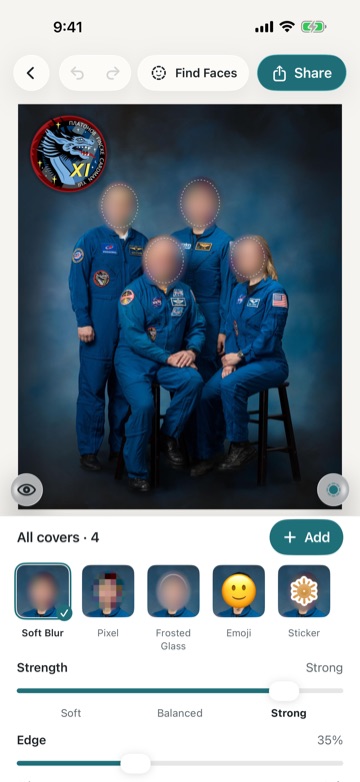
Nube Blur finds the faces and covers them straight away, in group photos too. You can still change each cover.
Save or share a copy
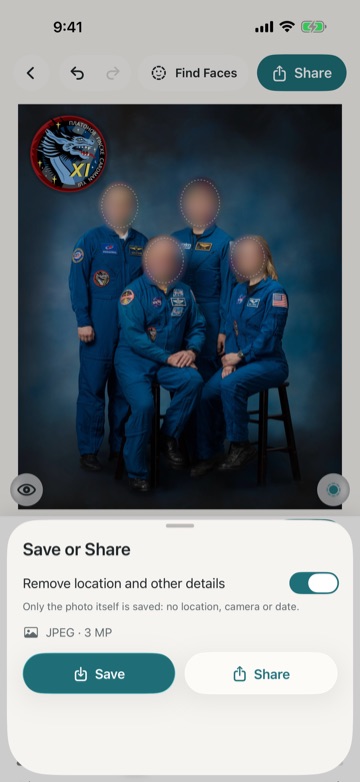
Tap Share to save the copy to Photos or send it to someone. Your original stays as it was.
What it can do
The editor is simple, but it has what you need.
Finds faces on its own
It also spots small faces and faces in the background. If someone is turned away, it suggests a cover and lets you decide.
Five styles
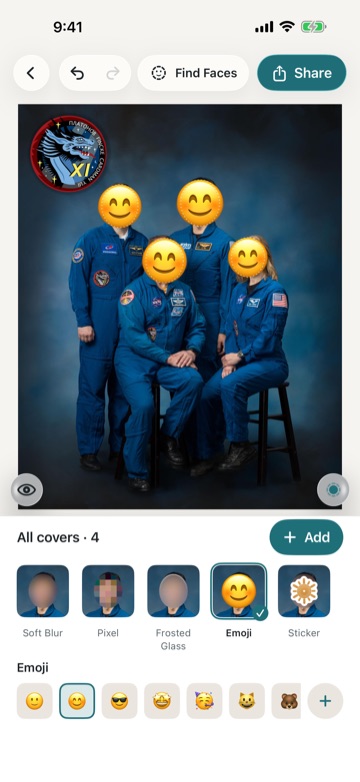
Soft blur, pixels, frosted glass, an emoji or a sticker. Blur and pixels wipe out the detail underneath, so nobody can sharpen it back.
Add covers by hand
Pick an ellipse or a rounded rectangle, or draw the shape with your finger. You can also touch and hold the photo where you want a cover.
All covers or just one
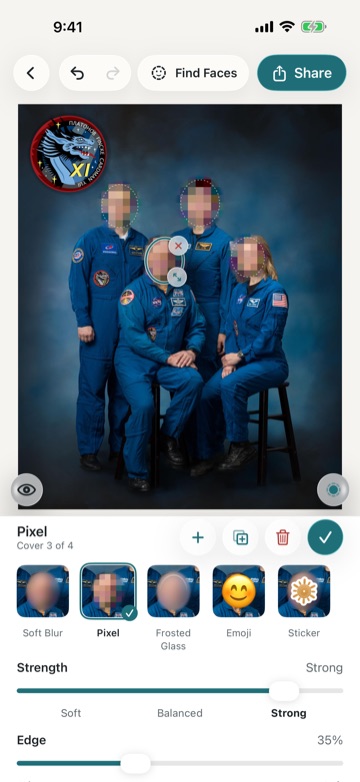
With nothing selected, a change applies to every cover. Tap one to change only that one: strength, edge, size and shape.
Find faces again
Missed a face, or deleted a cover by mistake? Tap Find Faces and the app looks again.
Your own stickers
Make a sticker from a photo of an object or your pet, and use it to cover a face. You can keep up to 3.
Your original stays as it is
Nube Blur always saves a new copy. The photo you started from is never changed.
Location removed
When you save, the copy loses its location and other details, such as camera information. If you’d rather keep them, you can turn this off.
Straight from Photos
In the Photos app, open a picture, tap Share and choose Nube Blur.
Automatic detection is good, but it can miss a face. Have a quick look before you share.
A look inside
Here’s the app on an iPhone.
Your photos stay on your phone
Faces are found and covered on your phone, and nothing about your photos leaves it. You don’t need an account, and there are no ads or trackers. Nube Blur can only add new photos to your library, so it can’t change or delete the ones you already have.
- Works offline
- No account
- No ads
- Nothing uploaded
Try it on the next photo you share.
It’s free on iPhone.

Android version coming soon